


Remote recording or the studio: when a call is enough
Plenty of good podcasts are recorded entirely over a video call, and plenty are better recorded in person. Remote tools record each participant locally on their own device and hand back separate audio and video tracks, which covers guests in other cities, audio-only shows, and a solo show at home with a decent mic. What they cannot do is put two people in one frame or deliver a switched multi-camera cut. Kreate Vision Studio in Palatine, Illinois runs that cut live for $250 per hour, $375 for the 90-minute minimum.
The honest answer
A video call is enough when the guest is not going to be in a room with you anyway, when the show is audio-only, or when a solo host at home already has a decent microphone. A studio earns the drive when two hosts need to be in the same room to work off each other, when the video is the actual product, or when several episodes get recorded in one sitting.
A weekly interview show with out-of-town guests and a two-host show batching six episodes a month are different operations. The right setup follows the format, not a preference for gear, and a lot of good podcasts run entirely on a call. This is a different question from studio or your own office, which assumes everyone is in the same city and asks whether a room with three cameras is worth it over your desk. Here, at least one person is not in the building at all.
When a call is genuinely enough
Guests in other cities. If your format is an interview show and the interesting guests are not local, the choice is not remote versus studio. It is remote versus not booking that guest at all.
An audio-only show. If nothing is being published as video, none of the studio’s camera work is buying you anything. You are paying for a room built around a problem you do not have.
A solo show recorded at home. One host, a decent microphone, and a quiet room covers most solo formats. What you actually need to start is covered in what you need to start a video podcast.
A weekly cadence where travel would eat the schedule. A show that publishes every week lives or dies on whether the recording happens. If a studio visit turns a 45-minute conversation into a half day once travel and setup are counted, that overhead can be the thing that kills a weekly show, not the content.
What a remote tool does, and does not do
What it actually does
Remote recording tools such as Riverside and Zencastr do not record the call itself. They record each participant locally, on that person’s own device, and upload the files afterwards. Zencastr’s own documentation describes the mechanism plainly: each participant’s audio and video feed is recorded locally by their computer and stored in local browser storage, then progressively uploaded to Zencastr’s servers “in pieces, so that it doesn’t disrupt the VoIP call” (Zencastr Help Center, read 2026-09-04).
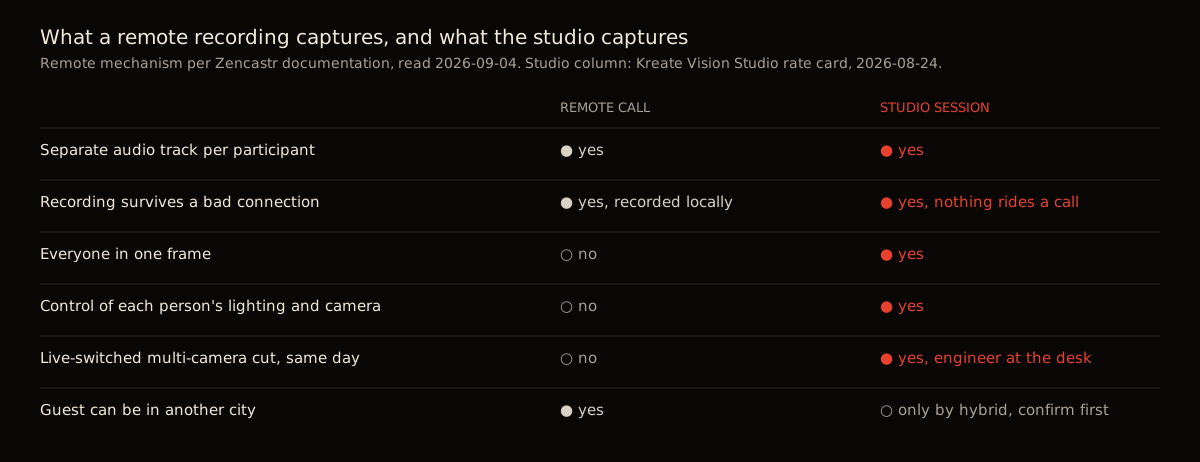
Two things follow from that. First, you get separate tracks per participant, exactly what an editor wants: silence a phone ringing in one track without touching the person speaking. Second, a bad connection during the call does not damage the recording, because the recording was never riding on that connection. It was always local. The files are real recordings, not call captures: Zencastr’s paid plans record “128k MP3 files and 16-bit 48k WAV files” for audio, and video at up to 1080p on its Standard plan and up to 4K on higher plans, per the same help page. Those are the same kinds of files a studio hands you, minus the room.
What it cannot do
Local recording solves the connection problem. It does not solve the room problem.
A remote tool cannot put two people in one frame. Each participant is a separate video window recorded on their own camera, in their own room, under their own lighting, because that is where they physically are. There is no version of a video call that produces the kind of two-shot a three-camera room produces, because nobody is in the same room to shoot. That is one thing a call cannot fake.
It cannot control a guest’s lighting, camera, or background. A confident guest with a ring light and a laptop camera looks fine. A guest joining from a phone propped against a coffee mug does not, and there is nothing on your end that fixes that during the call.
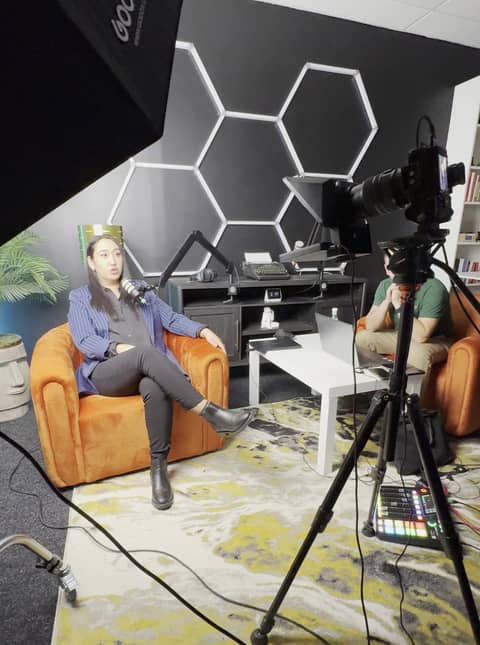
It cannot hand you a switched multi-camera cut. What you get is separate files, one per person, that still need to be synced and edited into something watchable. In a studio session, an engineer runs the desk and cuts live during the recording itself, so the post-production load on the other side is smaller. What the engineer does during that time is worth reading if you have not sat in a session before.
And it cannot guarantee the guest’s upload finishes cleanly. Zencastr’s own guidance is to keep the browser tab open until the upload completes and to wait for the confirmation that each person’s local recording has reached the cloud. That is a reasonable ask of a co-host. It is a real risk with a first-time guest who closes the tab the second the call ends.
When the studio is the better call
Two hosts who record together. If the format depends on two people reading each other, a video call is a worse version of the thing you are trying to do. Being in the same room changes the pacing in ways a call cannot fake, and it is a different question from how many guests fit in the room once you add a third voice.
A guest within driving distance. If the guest can reasonably get there, the studio removes every limitation above for the cost of a drive: framing, lighting, and a cut you do not have to build from separate files.
A show where video is the product. If clips and the full episode video are what actually gets distributed, and the audio is secondary, the camera work is not a nice-to-have. It is the thing being sold. YouTube describes Shorts as vertical videos up to 3 minutes long (YouTube Help, read 2026-09-04). A clip that long cut from a call is one person’s webcam frame for its whole length. Cut from a studio session it can be a two-shot, a reaction, and a switched exchange.
A batch day. Recording several episodes in one sitting is a different problem from recording one, covered in how to batch a season in one day. It is hard to do well from separate home setups and much easier with one room already lit and mic’d between episodes.
A first episode. If nobody has recorded anything yet and nobody owns a camera, a mic, or knows what a level check is, the studio removes all of that as a decision. What that first visit actually involves is in preparing for your first studio session.
The hybrid version, and its honest limit
The two are not always exclusive. A common setup is to record in person with a remote guest brought in on a screen: the in-person hosts sit on studio cameras, and the remote guest joins by call for their side of the conversation.
That setup can work well, and it solves the “one guest is remote, the rest of us are local” problem without dropping to a call for everyone. Whether a given studio supports it, and how the remote guest gets captured, varies by room. Confirm it directly before you book around it.
Eight situations, side by side
Where each format tends to land, based on what actually changes between a call and a room.
| Situation | Better fit |
|---|---|
| Guest is in another state or country | Remote |
| Weekly show where travel would eat the recording day | Remote |
| Audio-only show, no video published | Remote |
| Solo show, host at home with a decent mic | Remote |
| Two hosts who record together and want to play off each other | Studio |
| Guest is within a normal drive and video is the product | Studio |
| First episode, nobody owns a camera or mic yet | Studio |
| One guest can be in the room, one can only join by call | Either, as a hybrid |
What this looks like at Kreate Vision Studio
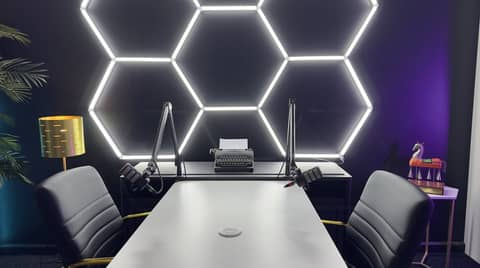
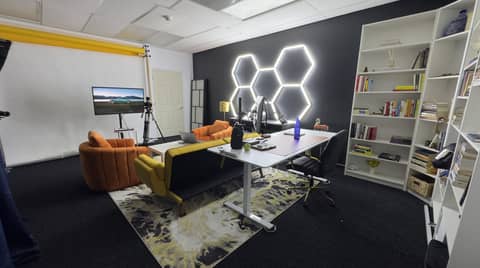
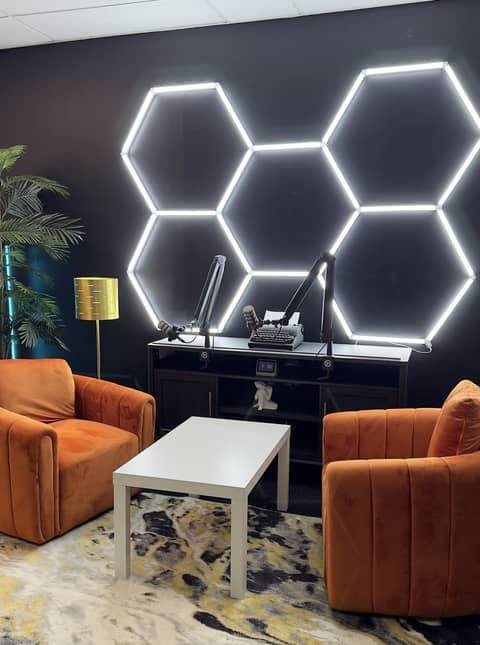
The podcast room is $250 per hour with a 90-minute minimum, so $375 for the smallest bookable session. Every block includes three 4K cameras, an on-site engineer running the desk, a live multi-camera cut delivered the same day, and separate raw audio tracks handed over afterwards.
Longer blocks come down per hour: six hours is $1,400 and eight hours is $1,800. Full rates, including the separate Content Session rate for non-podcast video work, are on the pricing page.
If you are not sure which side of this your next recording falls on, that is worth a short call rather than a guess: (224) 328-2853, or send it through contact. If you want to see the room before deciding anything, the 15-minute studio tour is bookable online through Square Appointments.
Sources
- YouTube Help, “Get started creating YouTube Shorts” (Shorts are up to 3 minutes long), read 2026-09-04
- Kreate Vision Studio rate card, Square Appointments, read 2026-08-24.
- How Zencastr Records, Zencastr Help Center, read 2026-09-04.
Can I record a good podcast entirely over a video call?
Yes. Remote tools record each person locally on their own device, so the finished quality does not depend on the connection between you, and each participant's audio and video come back as separate tracks. A weekly interview show with guests in different cities is a normal use of that, not a compromise.
What can't a remote recording tool do that a studio can?
It cannot put two people in one frame, control a guest's lighting or camera, or hand you a switched multi-camera cut, because each person is recording alone on their own gear in their own room. At Kreate Vision Studio in Palatine, Illinois, three cameras and an on-site engineer produce that cut live, the same day.
Is there a way to record in the studio with a remote guest?
In general, yes: bring a remote guest into an in-person recording on a screen, and record the in-person hosts on studio cameras while the guest joins by call. Whether a specific studio supports that setup, and how the remote side gets captured, is worth confirming directly before you book it.
How is this different from recording on Riverside or Zencastr?
Tools like Riverside and Zencastr are built around the idea covered above: each person records locally and separate tracks come back afterwards. What they cannot do is put two people in one shot or deliver a live-switched multi-camera cut, because everyone is in a different room. That gap is what a studio session closes.
When does the drive to a studio actually pay off?
When the video is the product rather than a recording of an audio show, when two hosts need to be in the same room to work off each other, or when you are batching several episodes in one sitting. Kreate Vision Studio's podcast room is $250 per hour, $375 for the 90-minute minimum, with an engineer and three 4K cameras included.