


What the On-Site Engineer Actually Does During Your Session
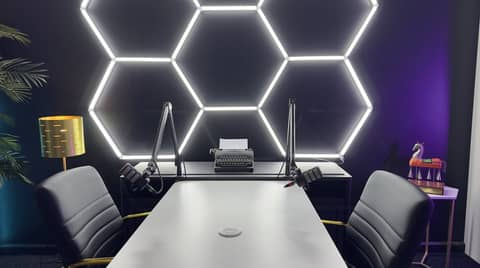
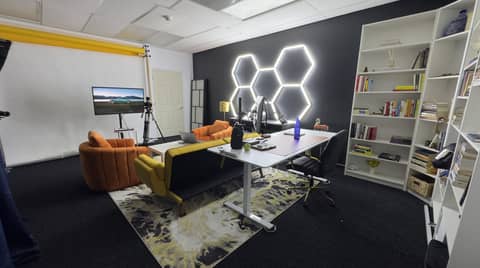
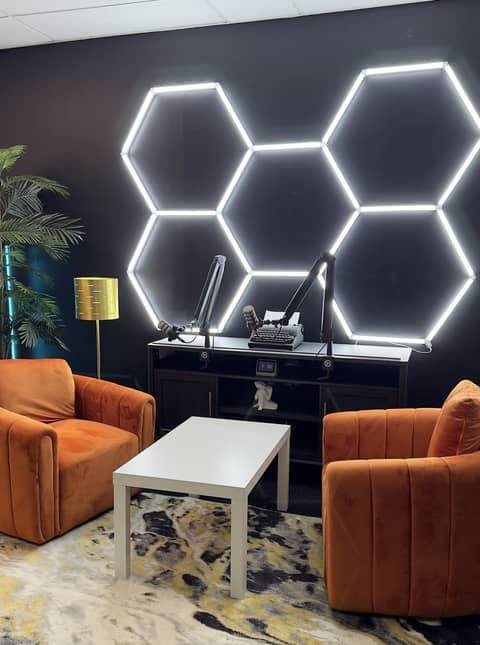
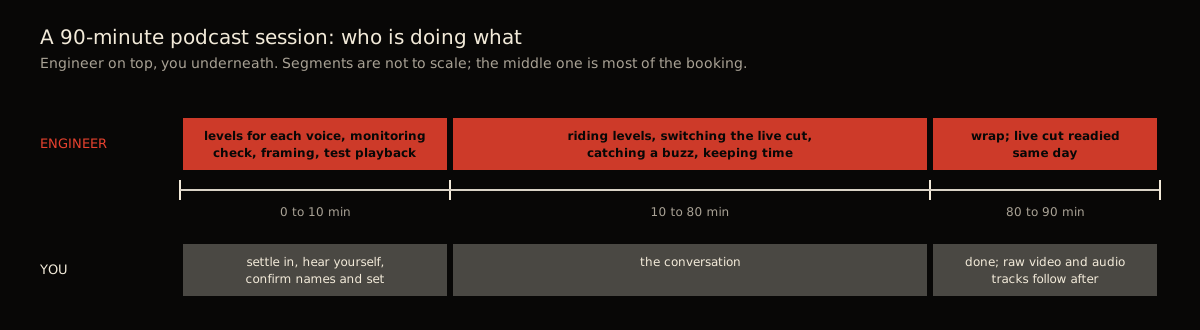
At Kreate Vision Studio in Palatine, Illinois, an on-site engineer runs every podcast booking: three 4K cameras, professional audio, and a live multi-camera cut delivered the same day, included in the $250-an-hour rate (90-minute minimum, $375). During the 90 minutes the engineer sets levels, checks headphones, frames three cameras, switches the live cut in real time, and catches a dropped mic or a buzzing phone. You bring the conversation. The engineer does not write your questions, coach your delivery, or edit the finished episode.
You do not run anything. An on-site engineer handles the cameras and the audio on every podcast booking at Kreate Vision Studio. It is included in the $250-an-hour rate, not billed separately. What follows is what that person actually does for the 90 minutes you are in the room. It tells you what you are booking and what is still on you.
Do I need an audio engineer for my podcast
Not when the studio includes one. At Kreate Vision Studio in Palatine an on-site engineer runs the cameras and the audio on every podcast booking, so you do not bring or hire one. First-time bookers sometimes assume a studio means a room with equipment in it. They picture themselves expected to operate it, the way a rented conference room comes with a projector nobody sets up for you. That is not this. A podcast studio with an engineer means the engineer sets levels, frames the cameras, and runs the live switch. Your job is the conversation.
Before you arrive
The room is already prepped before you walk in. The engineer has confirmed which set you booked and checked that all three 4K cameras and the microphones are working. None of this happens while you are standing there waiting for it.
What to bring to your first studio session covers what is on you before you arrive. Almost nothing technical is.
The first ten minutes
This is where the engineer does most of the visible work. It happens while you are still settling in, not as a separate step you wait through.
- Levels for each voice. Every person at the table gets their own microphone set to their actual speaking volume, not a generic level. Rode’s own guide to setting gain says to check that the level “peaks” about three-quarters up the meter, short of the red clipping zone. That guidance comes from Rode’s “Tips on Microphone Technique,” read 2026-09-04. It is the target the engineer works to for each voice, not one setting for the whole room. A quiet talker and a loud talker in the same episode need different settings, or one of them clips and the other disappears.
- A check that every mic is capturing cleanly before anything that matters is said.
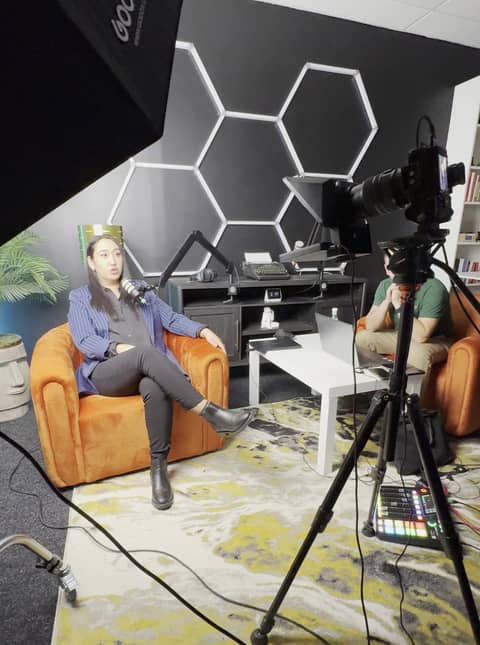
- Framing for three cameras. The engineer adjusts each of the three 4K angles so everyone is positioned correctly in frame. That includes reaction shots for whoever is not talking.
This is also the natural moment to talk through your format, if you have not already. If you have not decided who leads a multi-guest conversation, settle it now, not during the record. How many people fit in a podcast studio covers the format question.
During the record
Once you are rolling, the engineer’s job runs the whole time in the background:
- Riding levels. People do not talk at a constant volume. Someone leans in, someone gets animated, someone drops their voice for an aside. Leaning in is not just louder, either. Shure’s guide to mic placement says a closer mic boosts bass, and too much can leave a voice “boomy or muddy.” Moving back a few inches brings the bass down again, per Shure’s “Three Reasons Why Mic Placement Matters,” read 2026-09-04. Rode’s guidance for podcast recording is to have someone “watching the levels as you record, adjusting if there’s any issues” for exactly this reason. That line is from Rode’s “How to Make Your Podcast Sound Professional,” read 2026-09-04. The engineer is that person, adjusting continuously so nothing clips, gets buried, or turns boomy.
- Switching the live cut in real time. With three cameras running, the engineer chooses which angle is on screen as the conversation moves. It is cut live, the way a broadcast is cut, not assembled afterward. Why three cameras covers what that setup buys you over a single fixed camera.
- Catching a dropped mic or a phone buzz. If a mic gets knocked or a phone vibrates on the table, the engineer catches it. It gets flagged or fixed without stopping the conversation.
- Keeping time. The engineer tracks the clock against your booked block. That is what keeps the session ending on time instead of running long and cutting into the next booking.
You are not doing any of this. You are talking.
After the session
By the time you leave, or shortly after, two things are ready:
- The live multi-camera cut, delivered the same day. Because the engineer switched it live while you were recording, it is close to a finished edit already, not raw footage waiting to be assembled.
- The separate raw audio tracks, delivered alongside every camera angle.
Separate tracks matter more than they sound like they should, and what separate audio tracks are for goes deeper on it. Sound On Sound’s guide to live multitrack recording puts it plainly: recording to individual tracks “gives you more control after the event, because you have the chance to get the balance right on the mix, and to patch up any glaring errors without losing the excitement of the live performance” (Sound On Sound, “Live Multitrack Recording,” read 2026-09-04). A single mixed-down file locks that balance in at the moment of recording. Separate tracks leave it open for later.
What separate tracks let you fix later, and what they do not
Problems an editor can fix from the raw files delivered same day, and problems that need to be handled during the session itself.
| Problem | Fixable later from separate tracks | Fixable only during the session |
|---|---|---|
| One person’s mic runs too quiet or too loud | Yes, that track can be adjusted alone | |
| A guest talks over another guest | Partially. Each voice is isolated, but the words spoken on top of each other are still spoken on top of each other | |
| A single camera angle is unusable for a stretch | Yes, an editor can cut to a different angle from the raw footage | |
| Nobody set the levels correctly on a particular mic before recording started | This is what the first-ten-minutes level check exists to prevent | |
| Framing has a person half out of shot for the whole session | Framing is set before and adjusted during the record, not after | |
| A phone buzzes on the table for one exchange | Caught and dealt with in the moment by the engineer, not removable cleanly after |
What the engineer does not do
Worth stating directly, so you book the right thing. The engineer runs the recording. The engineer does not:
- Write your questions or your running order. That is yours to bring. What to bring to your first studio session covers preparing it.
- Coach your delivery. Nobody is directing your performance or telling you how to sound. You are recorded as you are.
- Edit the finished episode. The live cut is delivered the same day. A produced edit with graphics, music, or tightened pacing is a separate, quoted service, covered in what’s included and what costs extra.
If you want someone shaping the content itself, that is a separate, quoted service. Ask about it when you book, since it changes what gets prepared before you arrive.
What this looks like at Kreate Vision Studio
A 90-minute podcast booking at Kreate Vision Studio is $375, the room’s minimum, on the pricing page with the rest of the rate card. The engineer is part of that rate on every booking, not an add-on. That covers three 4K cameras and professional audio, level checks before you start, and live switching between angles while you record. It ends with a delivered live cut plus separate raw audio tracks the same day. The table seats four, a host plus up to three guests, and the room holds five including the engineer. How long to book a studio session covers picking a longer block if 90 minutes is tight for your format. To see the room and meet the setup first, book the 15-minute studio tour or the room itself through Square Appointments. Or call (224) 328-2853.
Sources
- Sound On Sound, “Live Multitrack Recording,” read 2026-09-04
- Rode, “Tips on Microphone Technique,” read 2026-09-04
- Rode, “How to Make Your Podcast Sound Professional,” read 2026-09-04
- Shure, “Three Reasons Why Mic Placement Matters,” read 2026-09-04
- Kreate Vision Studio rate card, Square Appointments, read 2026-08-24
Do I need to know how to run audio or camera equipment?
No. At Kreate Vision Studio in Palatine, an on-site engineer runs the cameras and audio on every podcast booking. You sit down, talk, and the engineer handles levels, framing, and the live cut. Nobody at the table is expected to touch a fader or a camera.
What does a podcast engineer actually do during a session?
At Kreate Vision Studio, the engineer sets microphone levels for each voice, frames the three cameras, switches the live multi-camera cut while you talk, and catches problems like a dropped mic or a buzzing phone as they happen, without stopping the conversation.
Will the engineer help write or edit my episode?
No. The engineer at Kreate Vision Studio runs the recording, not the content. Your questions, your running order, and your delivery are yours. A produced edit of the episode is a separate, quoted service, not part of the engineer's job during the session.
What is the difference between a podcast engineer and a podcast editor?
The engineer runs the live session: levels, cameras, and the switch, delivered as a live cut the same day. An editor works afterwards on a produced episode, with graphics, music, or tightened pacing. At Kreate Vision Studio that edit is a separate, quoted service, not part of the engineer's job during your booking.
What do I get from the engineer's work after the session?
The same day, Kreate Vision Studio delivers the live multi-camera cut plus every raw file, including the separate raw audio tracks. The cut is watchable as-is; the raw tracks are what an editor uses later to fix anything the cut can't.